Inventory management App
for florists
The Inventory management app provides customized experience for florists to make critical decisions without spending
much of time.
Florists needs to assess the condition of the perishable stock
day to day (such as flowers) to minimize
the wastage and promote
them to sell as quickly as possible thus making profit out of them.
The App provides the functionality needed by florists with
simple, modern and easy to use interface.
What's the problem?
Current inventory management apps focuses none or less on the florist related activities such as perishable goods management, providing timely alerts on the item state and stock.
Challenge
To build a easy to use Inventory management system that can handles perishable goods with better alert mechanisms.
Empathize with users
My research goal is to find out the problems of the florists in managing the inventory that consists of perishable goods such as flowers.
I started with secondary research to get overall picture of inventory management. Later I interviewed some florists to get know about their problems.
The interviews questions were:
- What is your experience in inventory management?
- What are current challenges with stocking and tracking the inventory?
- Are you currently using any application? What are the limitations of current application?
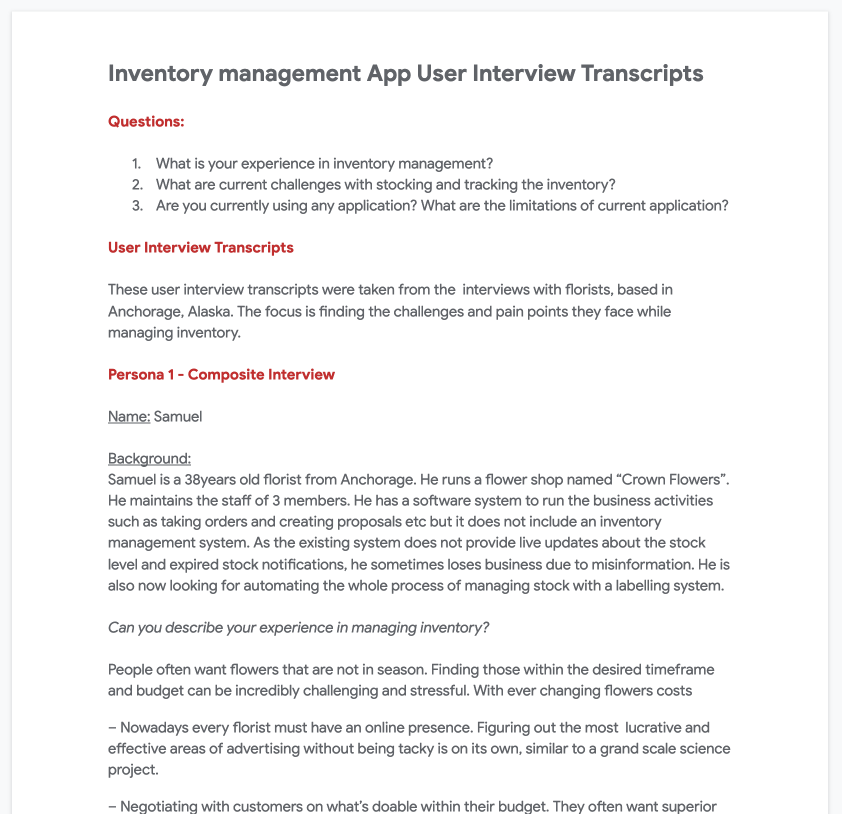
Pain points from my research
Majority of the florists inventory are perishable items (ex: Flowers). They tend to damage over the time.
Florists do not know the quantity of an items available in the stock unless they do audit at every evening.
There are no alerts about Low-stock & MOQ
It is difficult to audit manually in daily and weekly basis
These insights helped me in understanding the day to day problems they are facing and the typical environment they work.
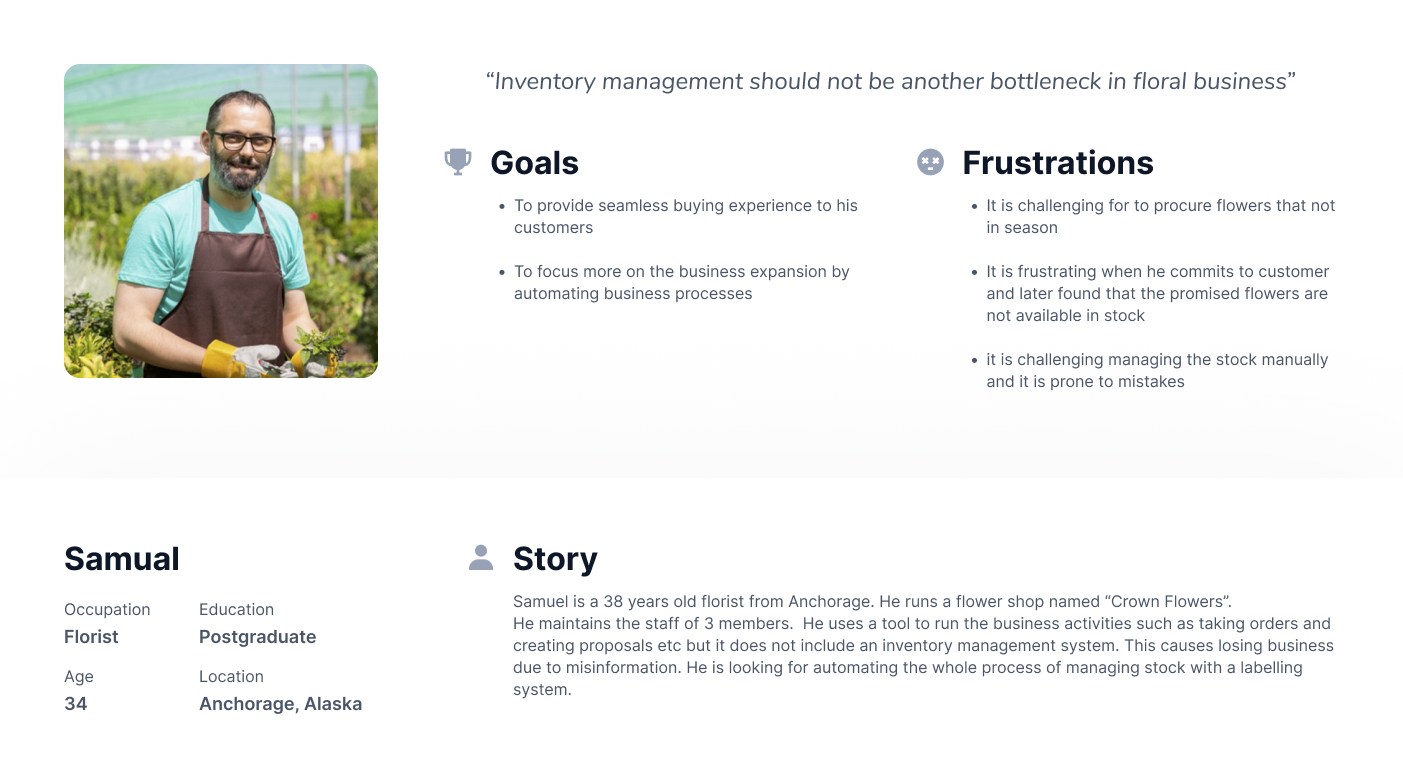
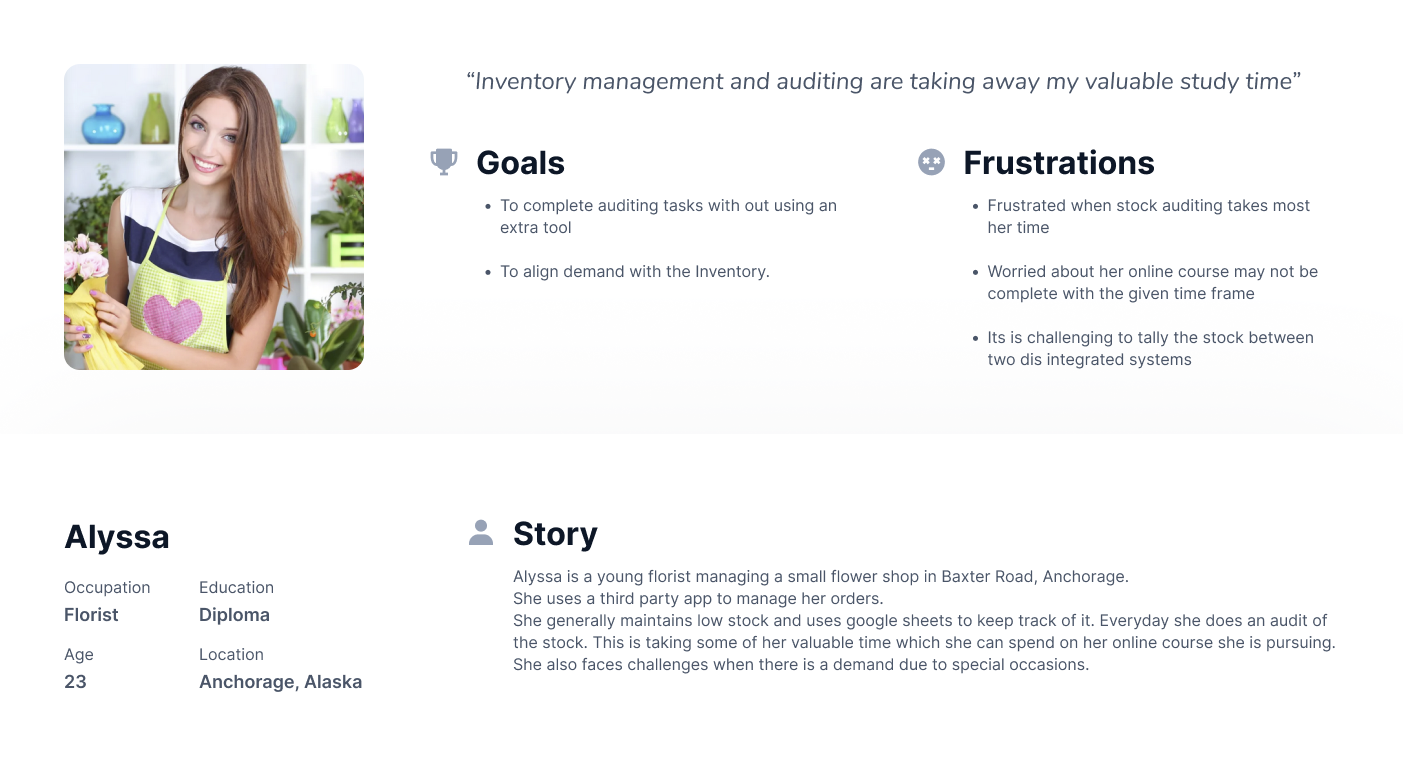
The following are the resultant personas.
Define the problem
After extensive research excercise, and identifying the painpoints, I have a came up with problem statement.
Problem statement
The new inventory management app will let the users manage the inventory which will affect florists who wants to monitor the perishable goods by viewing the current status of an item with timely alerts and notifications. We will measure effectiveness of the app by reduction in wastage from the perishable goods
Value Propositions
- Provide live alerts and inventory notifications
- Automatic stock adjustments
- User friendly report generation
User stories
The following are the most important userstories that are derived from the research phase
- As a florist I want to know the expiry date of an item so that I can make quick decision when I am committing an order to customer
- As a florist I would like the app to update the inventory automatically when there is a transation happens so that I need not update the stock every time I add and remove stock form the inventory
- As a florist I want generate report on inventory with applied filters and view it on the phone or export it in desired format so that I can educe my time in auditing.
Ideation
Before starting the work, I always spend some time on researching the similar apps out there to know the strengths, weakness and key selling points (Aka value propositions).Competitive Audit:
The goal is to assess the direct and indirect competitors in the same field.
I have reviewed 2 direct, 2 indirect competitors. Both direct competitiors are weak in inventory management.
Interestingly all direct competitors mostly focus on POS and proposals creation but not much on inventory management.
one indirect competiter does not have inventory manaagement at all.
Another indirect competitor has strong presence in inventory management and provide customized option to make product useful for florists.
The following is the snapshot from my analysis spreadsheet.
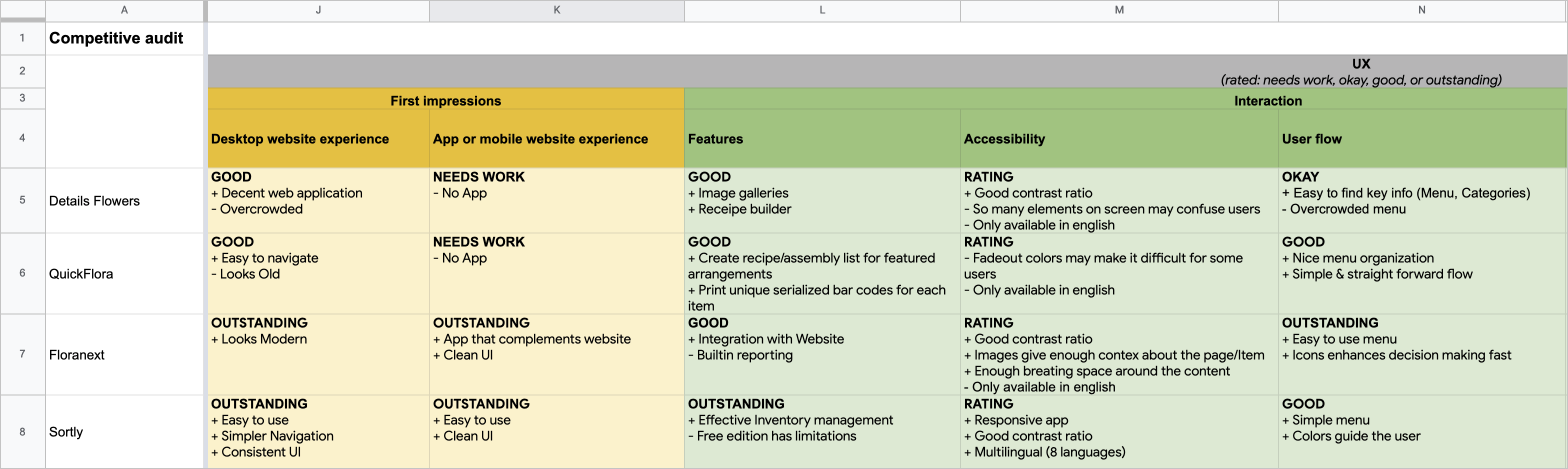
From the analysis, the following are the gaps & opportunities for my new app. You can view full report here.
Gaps
- Quickflora does not provide visuals of the flowers (Inventory)
- Quickflora UI is not that great.
- Sortly does not provide way to represent the expiry day (in days)
Opportunities
- Provide simpler and easy to use UI that requires less training
- Provide live alerts and inventory notifications
- Automatic stock adjustments
- User friendly reports
Its now time to find out the solutions for these problems.
Hypothesis statements
The following are some of the statements using IF - THAN to figure out solutions to the problems above.
- If Samuel provided with an app with a widget on the homepage which provides information about products going to expire than he should be able to find the list of items about expire and order them in advance.
- If Samuel provided with an app that notifies upon product expiry than he should be able to place an order for that item.
- If Samuel provided with an app that can generate daily and weekly reports than he should be able to save sometime.
How might we
The next step is doing an excercise on "How might we" to solve these problems and use "Crazy eight" for generating crazy but innovative ideas :)
- How might we show the items to user that are about to expire on the home page?
- How might we notify users about the expires items?
- How might we create the option to generate/weekly a daily report?
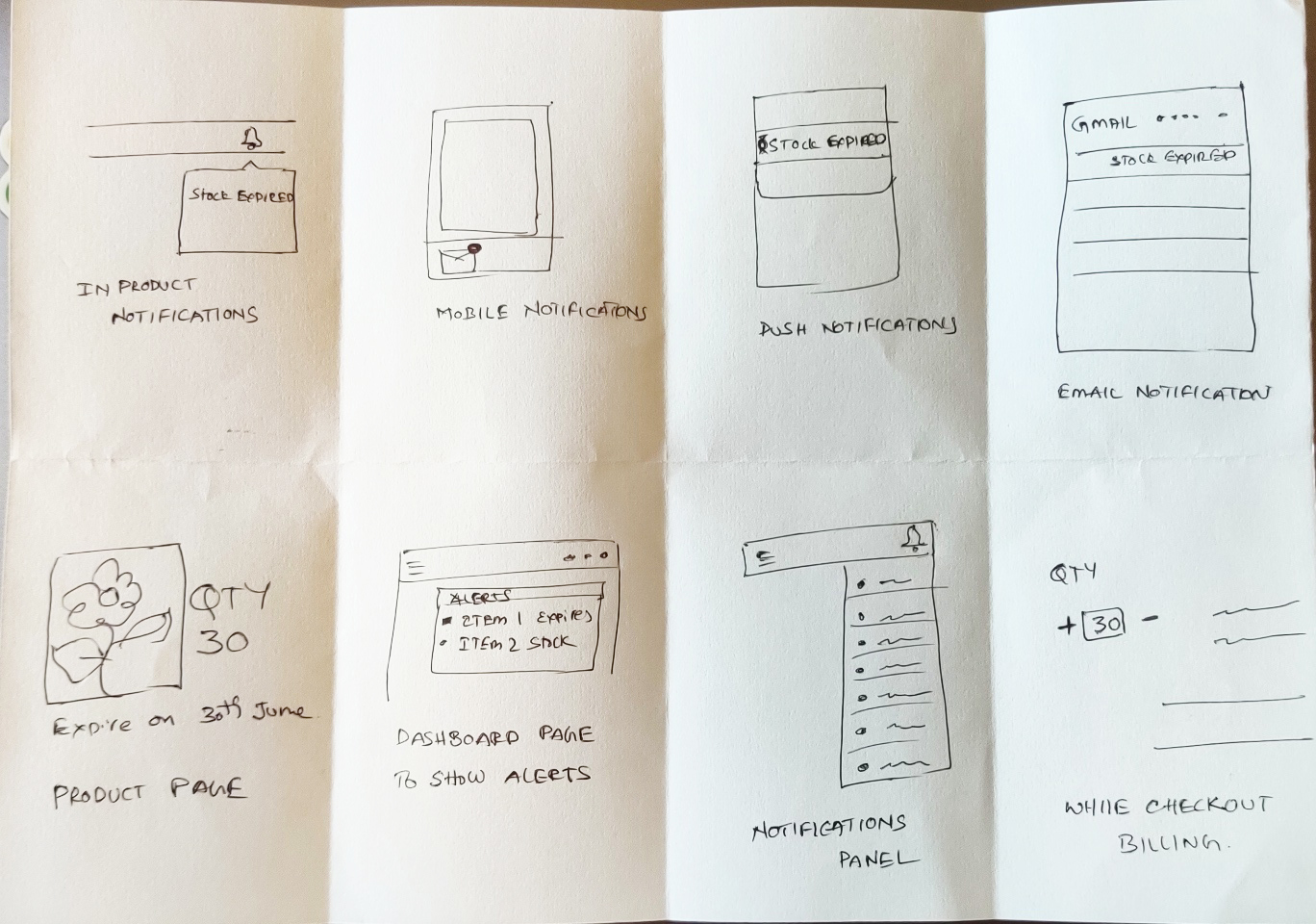
Crazy Eight for notification
As an example, I come up with eight different ways to notify users whenever an inventory update occured.
Design - Wireframes
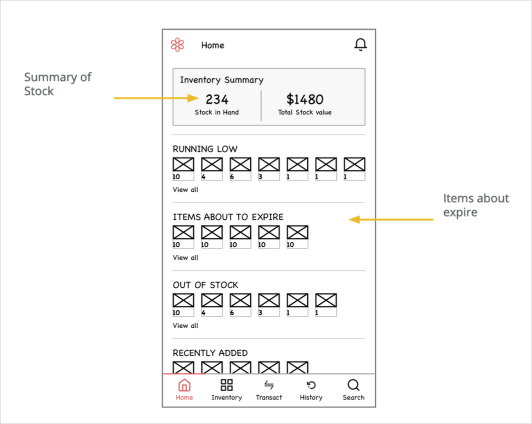
Home page provides the summary of the inventory and provide quick view of items at glance. This provides the essential information on the home page and eliminate unnecessary navigation
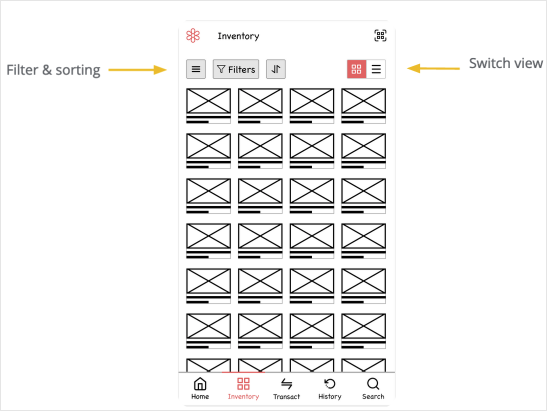
- - Able to filter
- - Grouping
- - Sorting
- - Generate report on a filtered items
Prototype in Action
User testing
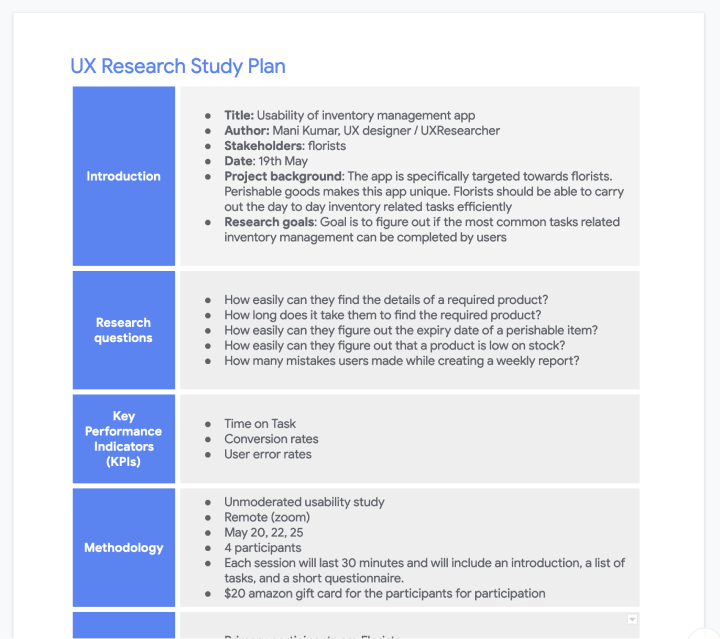
UX Research study plan
As a part of usability study, I prepared a UX study plan and included details such as
research questions, participants, duration, defined methodology & KPIs and prepared testing script.
Here you can find the full UX study plan.
UX Research study
Usability study is unmoderated so the users were shared their zoom recordings post activitiy. The goal is to find out the user experience of common inventory management operations. so, The research questions are based around the following tasks.
- - Search for an item and find the details of an item
- - Organizing inventory into groups & folders
- - Know the expiry dates of the perishable items
- - View transaction history
- - Build summary reports
The following is the spreadsheet I used for recording the responses from the study UX study Notetaking sheet
UX Research study findings
The feedback and observations received from the research needs to be synthesized. So, the feedback is organized into themes. Whimsical is handy tool for this.
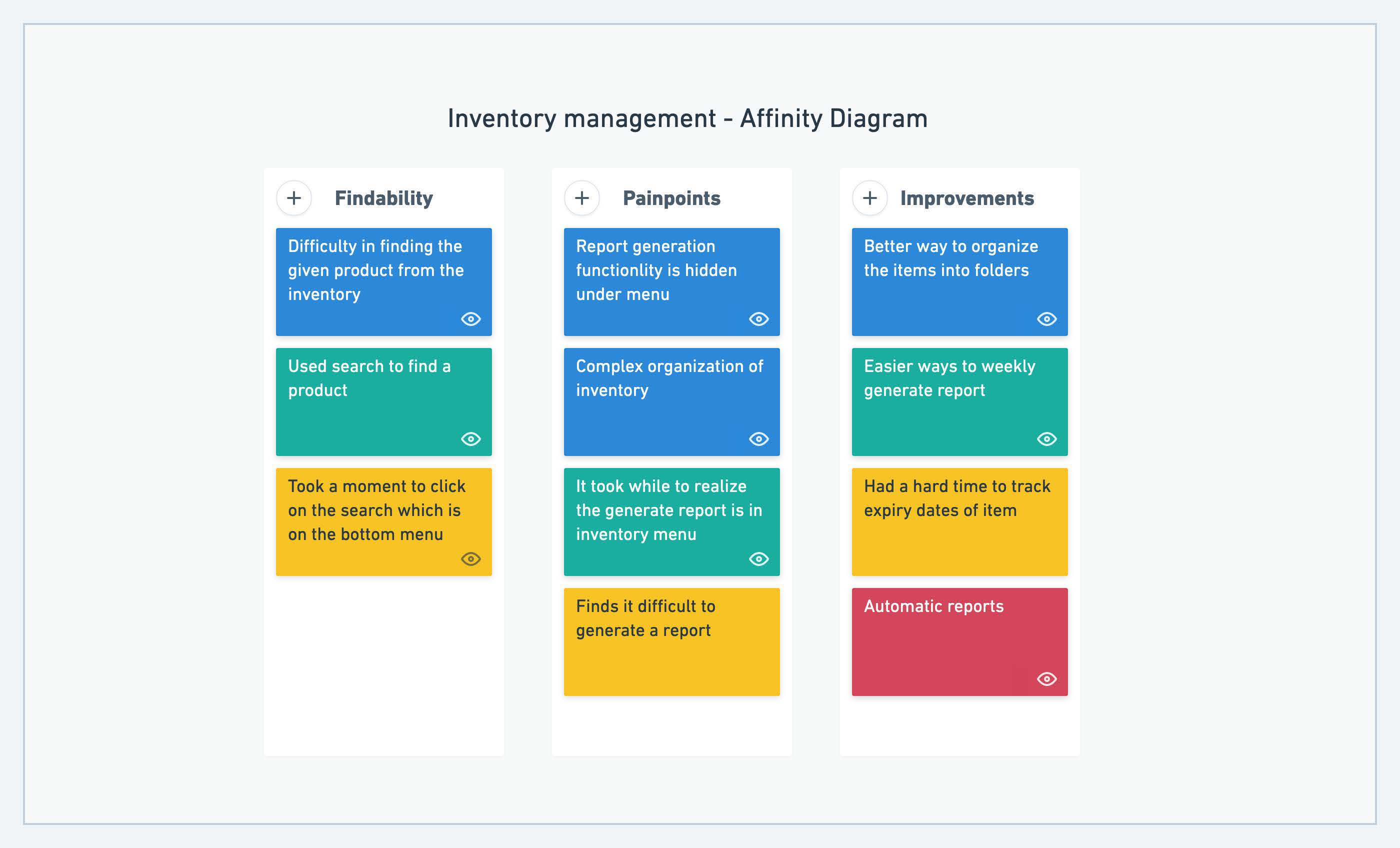
Insights
The following are the insights and recommendations for next iteration
Insight:
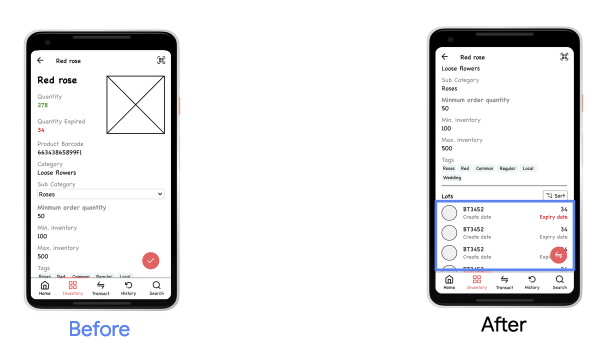
Expiry date an items could not be determined.
Details:
4 of 5 participants asked about the way to find out the expired items.
There no obvious way to find the expired items.
Recommendation:
Provide a way to find the expiry date of the items.
Insight:
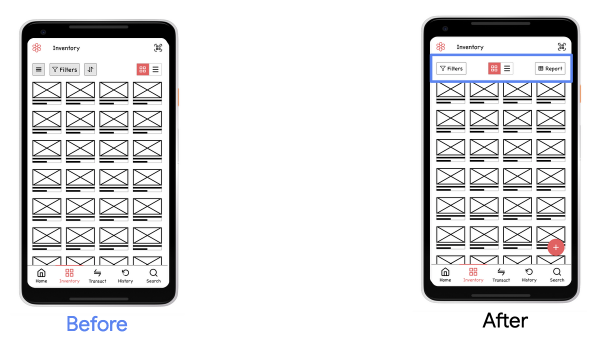
Most participants did not able to finish generating report.
Details:
3 of 5 participants could not able to generate the report.
Users find it difficult to locate the menu item to generate a report.
Recommendation:
Provide direct option to generate report.
Insight:
Most participants did not use the Search to find the given item
Details:
3 of 5 participants did not use search feature to find an item.
Most of them used menu to go into inventory and manually locate the item.
Recommendation:
Make search more visible.
The following is the comparision of the wireframes before and after research.
Expiry date an items could not be determined
Most participants did not able to finish generating report.
HiFi Design
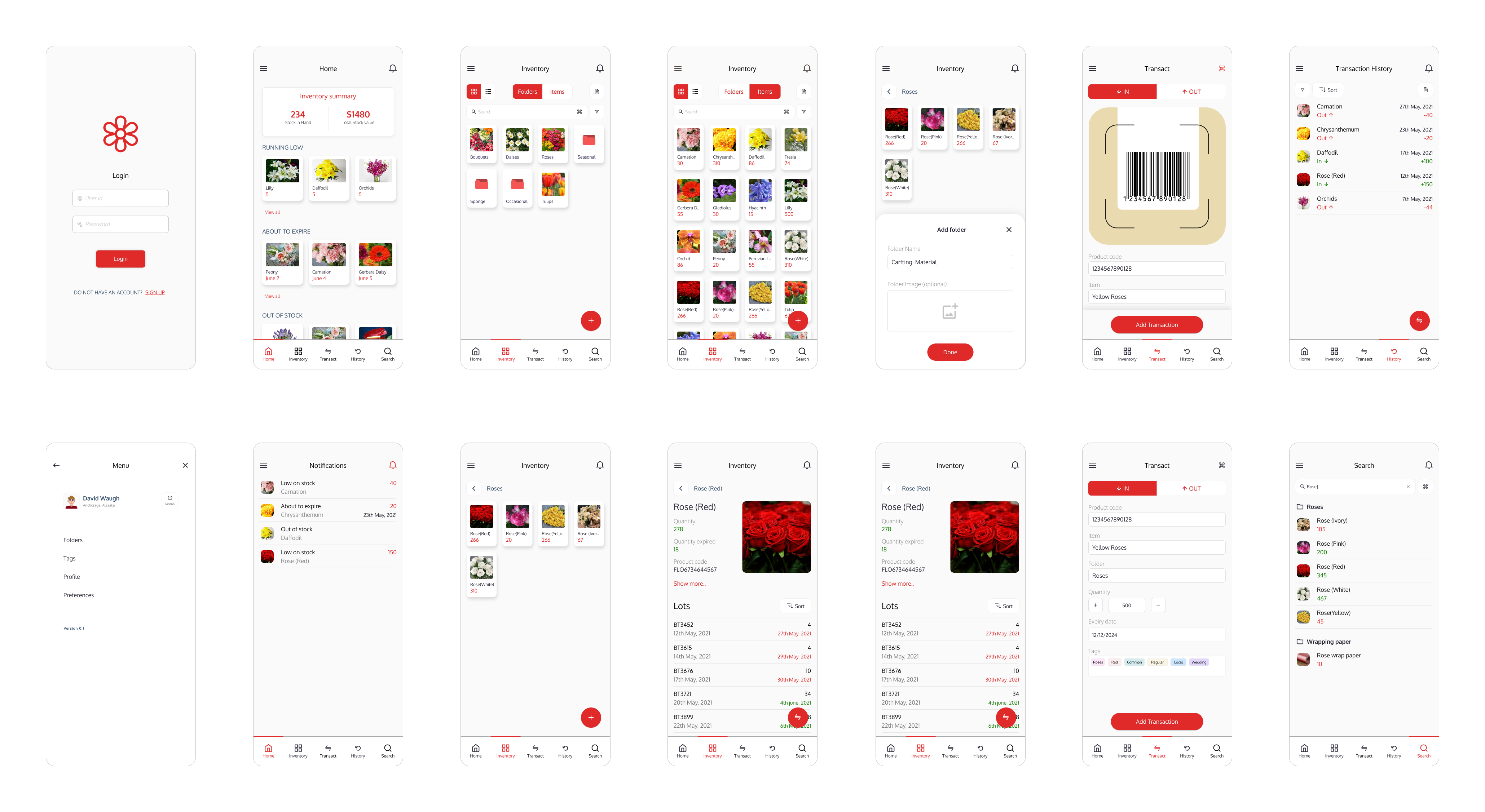
After several rounds of reviews with my UX friends and some more feedback from forums, I came up with the following mockups.
Style guide
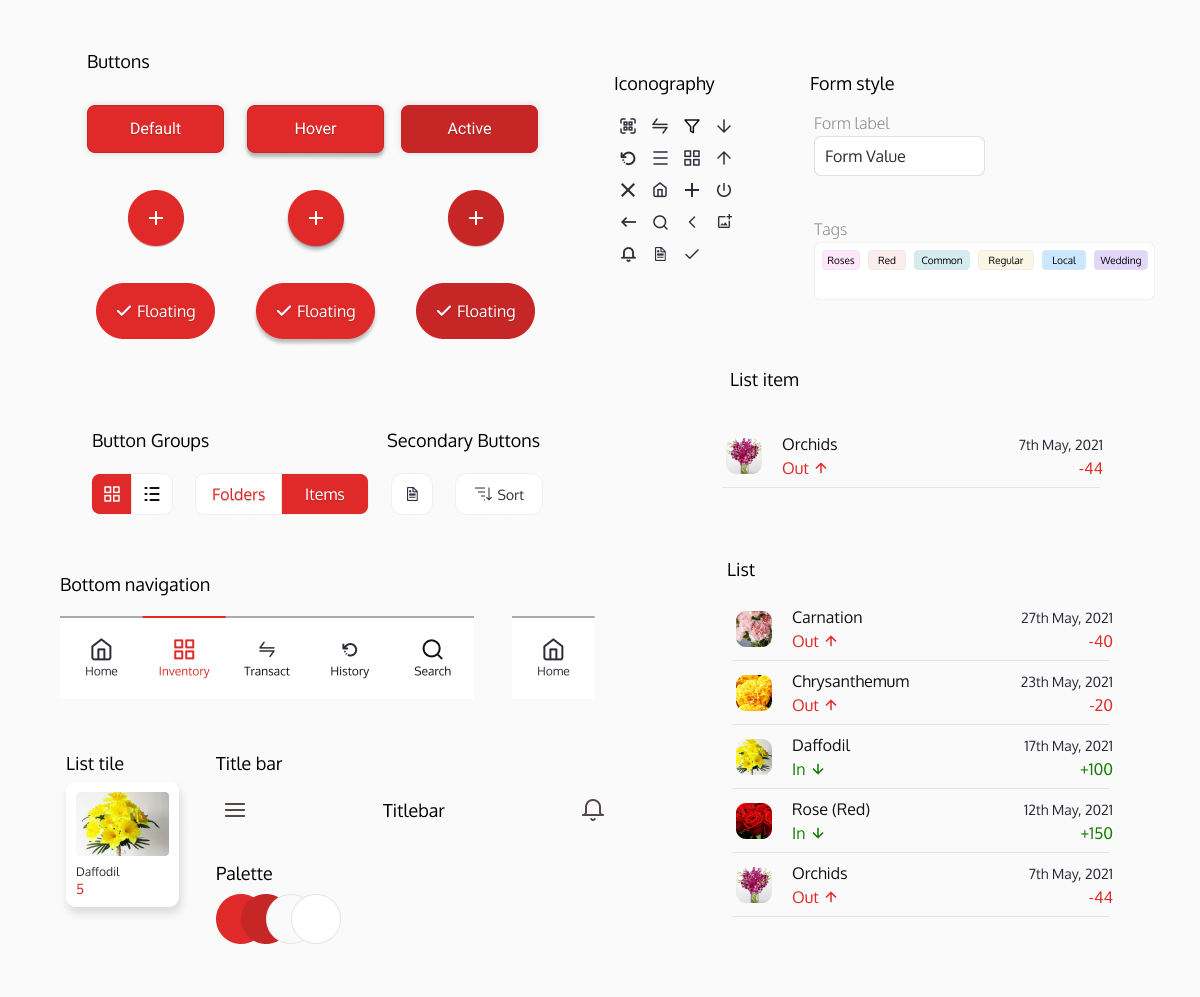
Accessibility Considerations
The app follows the material design guidelines. Additionally the following a11y aspects were considered.
- Contrast ratio adjusted & used high contrast colors for fonts
- Removed flashy elemnts & adjusted animations
- Provided multiple ways to navigate to a page or feature other than gestures
High-fidelity Prototype
This app is truly a complex application with multiple flows and features. It is easy to design an app with single flow but app like inventory management never be simple. It is really fun and challenging to design this app. I think this app brings best out of me.